External Audio Engine
To configure external audio player: Preference → Audio → External Audio Player.
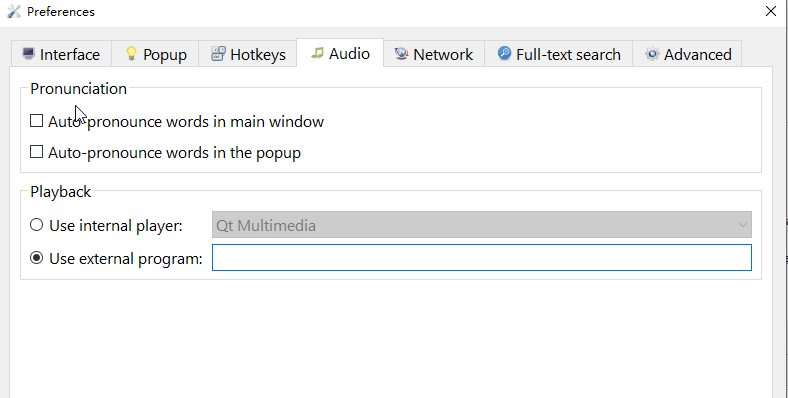
Note: The player command must be either in your system PATH or specified with an absolute path.
Linux/macOS examples:
vlc:
vlc --intf dummy --play-and-exit --no-video
ffplay:
ffplay -autoexit -nodisp
mpv:
mpv --no-video --no-audio-display --no-config
Windows examples (using absolute paths):
vlc:
"C:\Program Files\VideoLAN\VLC\vlc.exe" --intf dummy --play-and-exit --no-video
ffplay:
"C:\ffmpeg\bin\ffplay.exe" -autoexit -nodisp
mpv:
"C:\Program Files\mpv\mpv.exe" --no-video --no-audio-display --no-config
or other audio player.